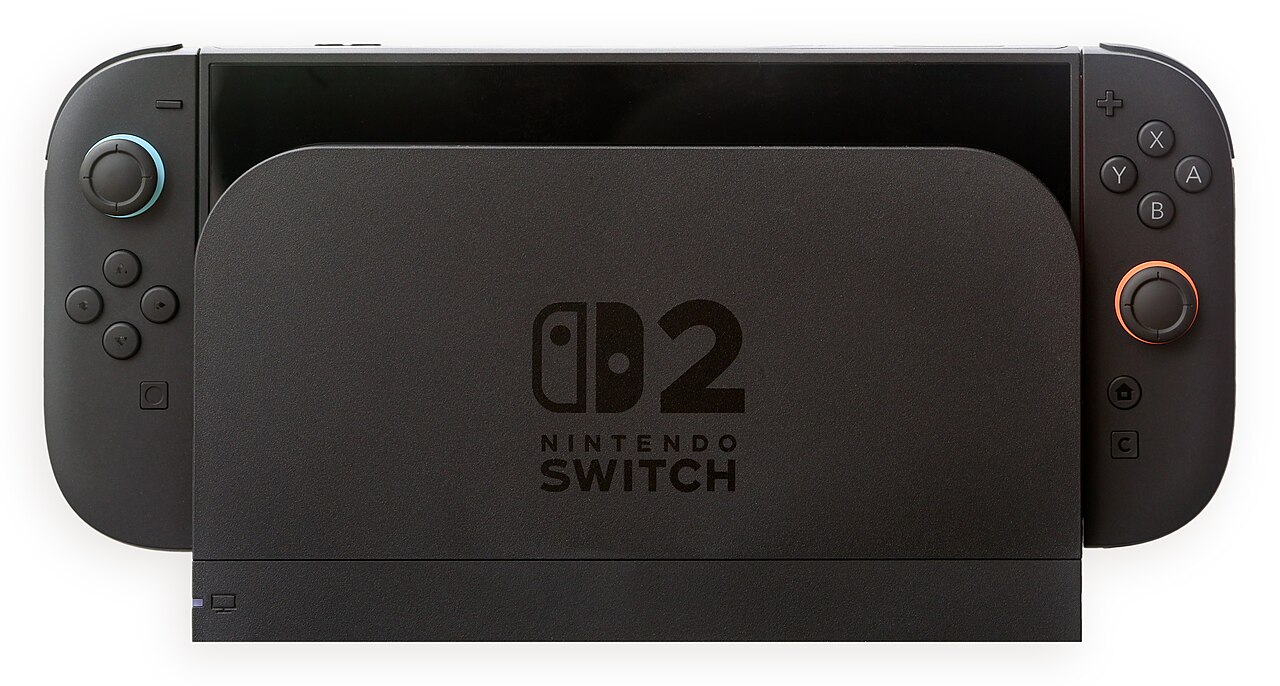
The most useful Switch 2 buying question is simple: which games will you actually play? Start there, then price the system you need rather than the bare console alone.
Build a short game list first
Choose three games you would play during the first month. Check each game's platform listing, local multiplayer options and accessory requirements. Nintendo supports compatible original Switch games on Switch 2, but compatibility is not a blanket promise for every title or accessory.
If you already own a library, use Nintendo's compatibility and transfer resources linked from its system page before selling the older console. Keep the old system until you have confirmed that your important saves and purchases are accessible.
Read the storage card label carefully
Nintendo specifies microSD Express for expanded game storage. A familiar-looking standard microSD or microSDXC card is not an interchangeable upgrade. Check the full card type rather than capacity alone, and consider whether you need extra space immediately.
This is an easy place for an apparent bargain to become wasted spending: a cheaper card is not good value if it cannot serve the intended purpose.
Separate voice chat from video chat
GameChat can use the system's built-in microphone. Compatible USB cameras are a separate consideration for video. Nintendo lists GameChat as included with a Nintendo Switch Online membership; check the current membership requirements rather than relying on an old launch promotion.
For a family purchase, review the parental controls and communication settings before handing over the device.
Compare the complete basket
Add together the console, the games you selected, any required controllers, storage and subscriptions. Check whether a bundle includes the game you actually want and whether any included subscription renews automatically. Compare prices within the same country and currency.
Our editorial recommendation is to delay optional accessories until a specific need appears. This is a purchase-planning guide based on Nintendo's documentation, not a hands-on hardware review. What is the one game that would make the upgrade worthwhile for you?
Watch the official video
Official launch footage from June 2025. Use current Nintendo listings for prices, bundles and service terms.
Photo credit
Crisco 1492 — original photograph · CC BY-SA 4.0. Reduced-size copy; card previews may be cropped. No endorsement is implied.

Conversation
Join the conversation
No password needed. Confirm your email once to publish your first comment. Comments appear automatically after verification.
No comments here yet. Start the conversation.