A cleaning tip for one pair of AirPods is not automatically suitable for another. Before reaching for a brush or liquid, identify your model and open the matching Apple instructions.
Match the instructions to the earbuds
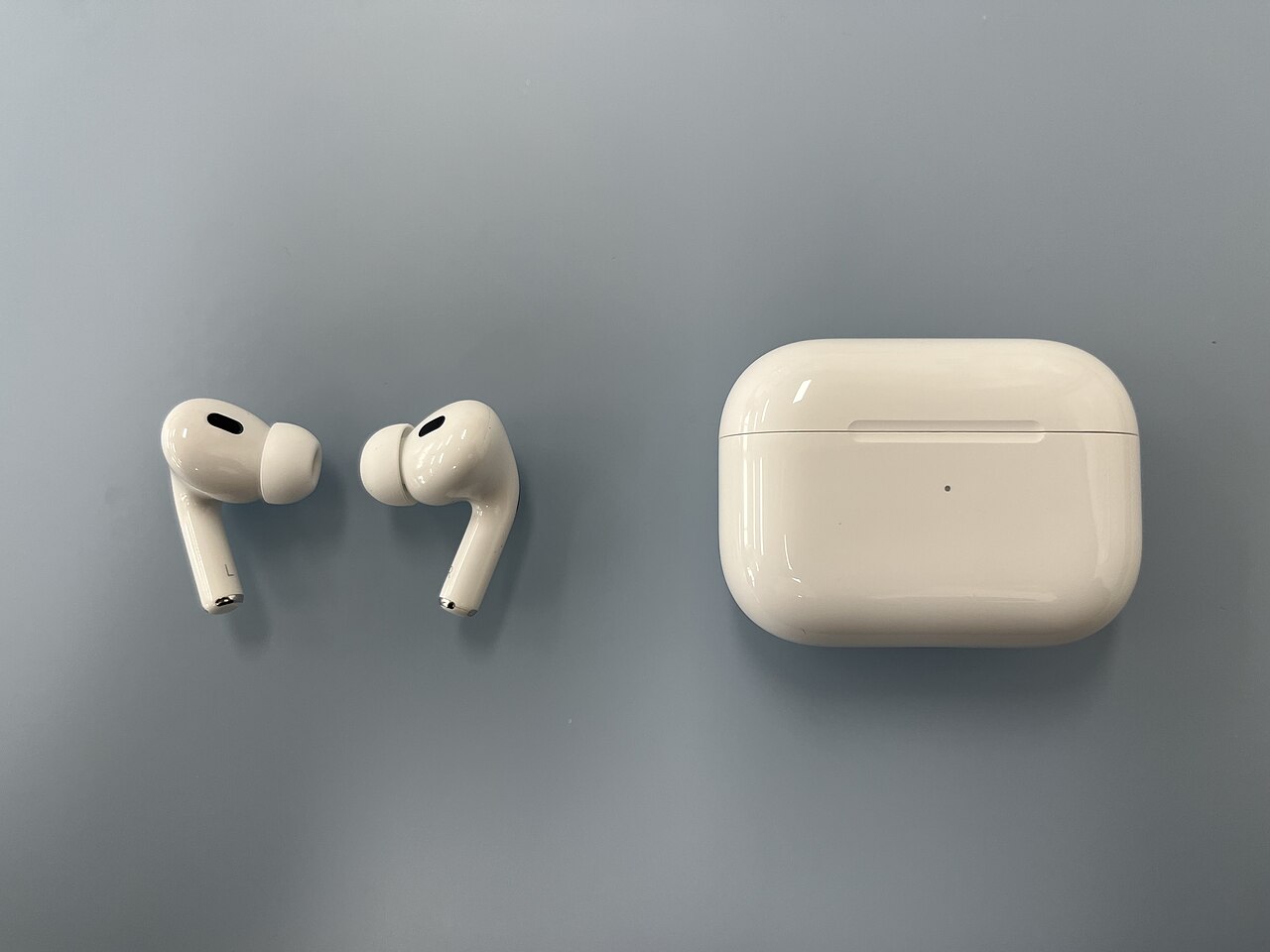
The photograph here shows AirPods Pro, second generation. Apple's current cleaning page separates procedures by generation and by component. The removable ear tips, earbud meshes and charging case are not one interchangeable cleaning surface.
For Pro 2, Apple tells users to remove the ear tips before mesh cleaning. Its guide identifies the meshes to clean and the materials to use. Follow that illustrated sequence rather than guessing from the outside shape of the earbuds.
Watch once before preparing the work area
The official Apple Support video below demonstrates mesh cleaning. Watch it fully before starting, then keep the written instructions available beside you. Read the section for your exact model even if the video's current title mentions several generations.
Prepare the specified materials and a clean place to leave the earbuds. If you cannot identify the model or obtain the required supplies, pause instead of substituting an aggressive cleaner or a metal tool.
Protect the ear tips and case
Apple says not to put AirPods Pro under running water or use sharp objects or abrasive materials. Its ear-tip instructions allow rinsing the detached tips with water, without soap or household cleaners. That is not permission to rinse the charging case.
Apple also advises allowing wet earbuds to dry completely, for at least two hours, before use or placement in the case. Do not use charging as a way to dry them.
When cleaning is not the answer
If the sound remains uneven or charging remains unreliable, record what happens and contact support. Repeating increasingly forceful cleaning is not a useful diagnosis. This guide points to the manufacturer's procedure; it does not promise to repair damaged hardware.
Have you found the correct model-specific instructions easy to locate? Share the model name and the step that was confusing, without posting serial numbers.
Watch the official video
Official Apple Support demonstration. Follow the linked written procedure for your precise generation.
Photo credit
Hajoon0102 — original photograph · CC BY-SA 4.0. Reduced-size copy; card previews may be cropped. No endorsement is implied.


Conversation
Join the conversation
No password needed. Confirm your email once to publish your first comment. Comments appear automatically after verification.
No comments here yet. Start the conversation.